OpenZip icon

The archive manager
the Mac was missing.

Open an archive like a folder. Look inside, pull a file out, drop a file in, rename, delete — without extracting anything first.

Free and open source · macOS 26 or later · Apple silicon and Intel · 7 MB

An OpenZip window showing the folders and files inside a ZIP archive

What WinRAR is to Windows.

macOS extracts whole archives and makes ZIPs of folders, and stops there. OpenZip is the rest, in one native app that costs nothing.

Archives open like folders

A sidebar of folders, a list you can sort and search, Quick Look with the space bar. Nothing is unpacked to show it.

Change them in place

Drop files in, delete, rename, move, make folders. The archive is rewritten, not extracted and packed again.

Take out only what you need

Drag one file out of a 20 GB backup to the Finder, or copy it there with ⌘C and ⌘V. Only that file is extracted.

Passwords that hide everything

AES-256 for ZIP, 7z and RAR. For 7z and RAR even the names of the files are encrypted. Remembered in your keychain, if you say so.

Every option that matters

Six levels, methods and dictionary sizes, solid archives, split volumes, recovery records, profiles to keep your choices in.

At home in the Finder

“Extract Here” and “Compress to ZIP” in the Finder’s menu, drag and drop both ways, drop anything on the Dock icon.

Create archives your way.

The window WinRAR calls “Archive name and parameters”, as a Mac would have it.

  • ZIP, 7z, TAR, TAR.GZ, TAR.XZ and more, RAR with RARLAB’s RAR
  • No Mac litter: no .DS_Store, no __MACOSX in what you send to Windows
  • Split into volumes for email, FAT32 or any size
  • Self-extracting: a 7z that opens on any Windows PC without extra software
  • One archive per item, test when done, originals to the Trash
  • Convert any archive into another format
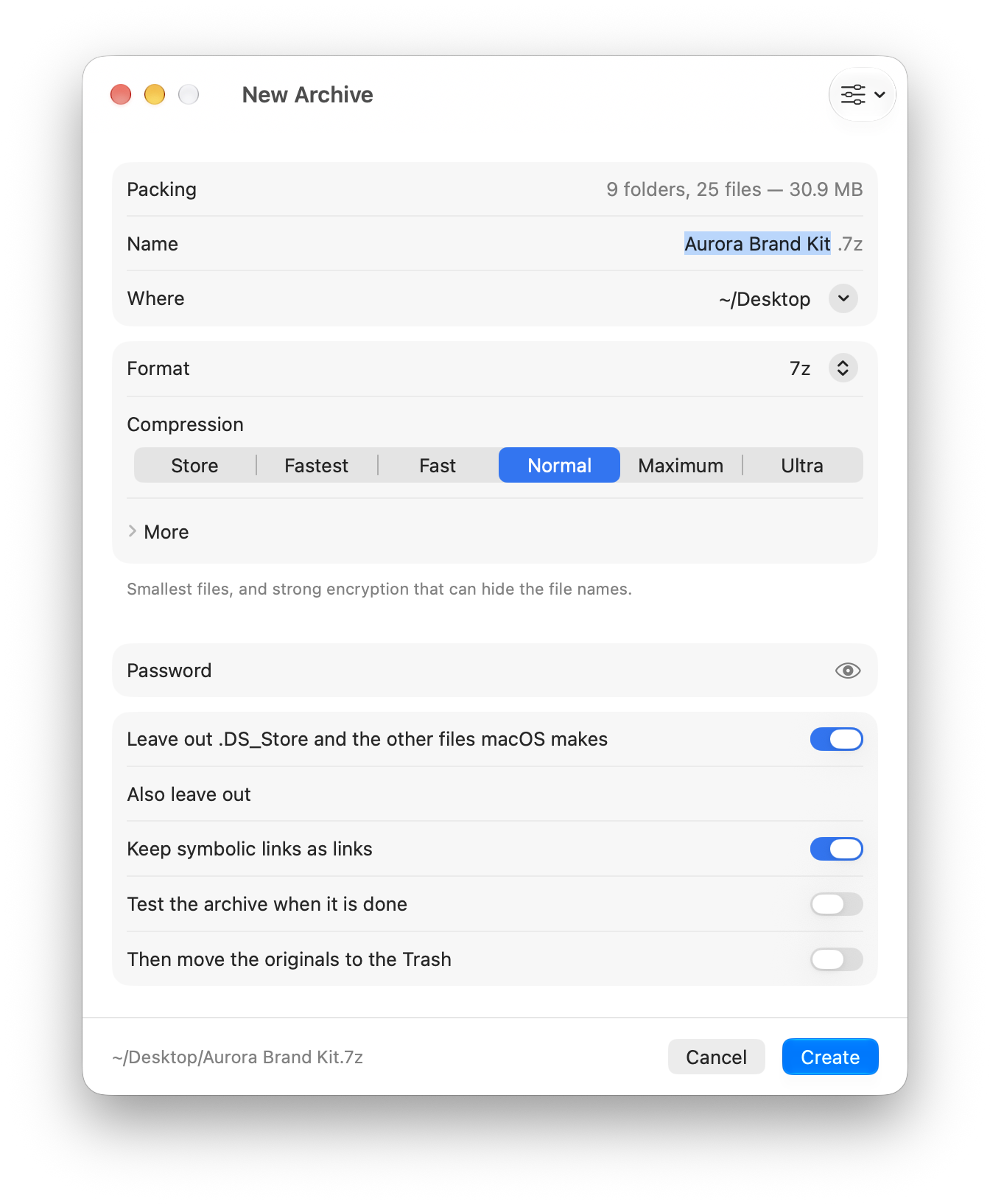
The New Archive window with name, format, compression levels and password

Extract without regrets.

“Extract Here” never leaves a hundred loose files in Downloads: one item comes out as it is, many get a folder.

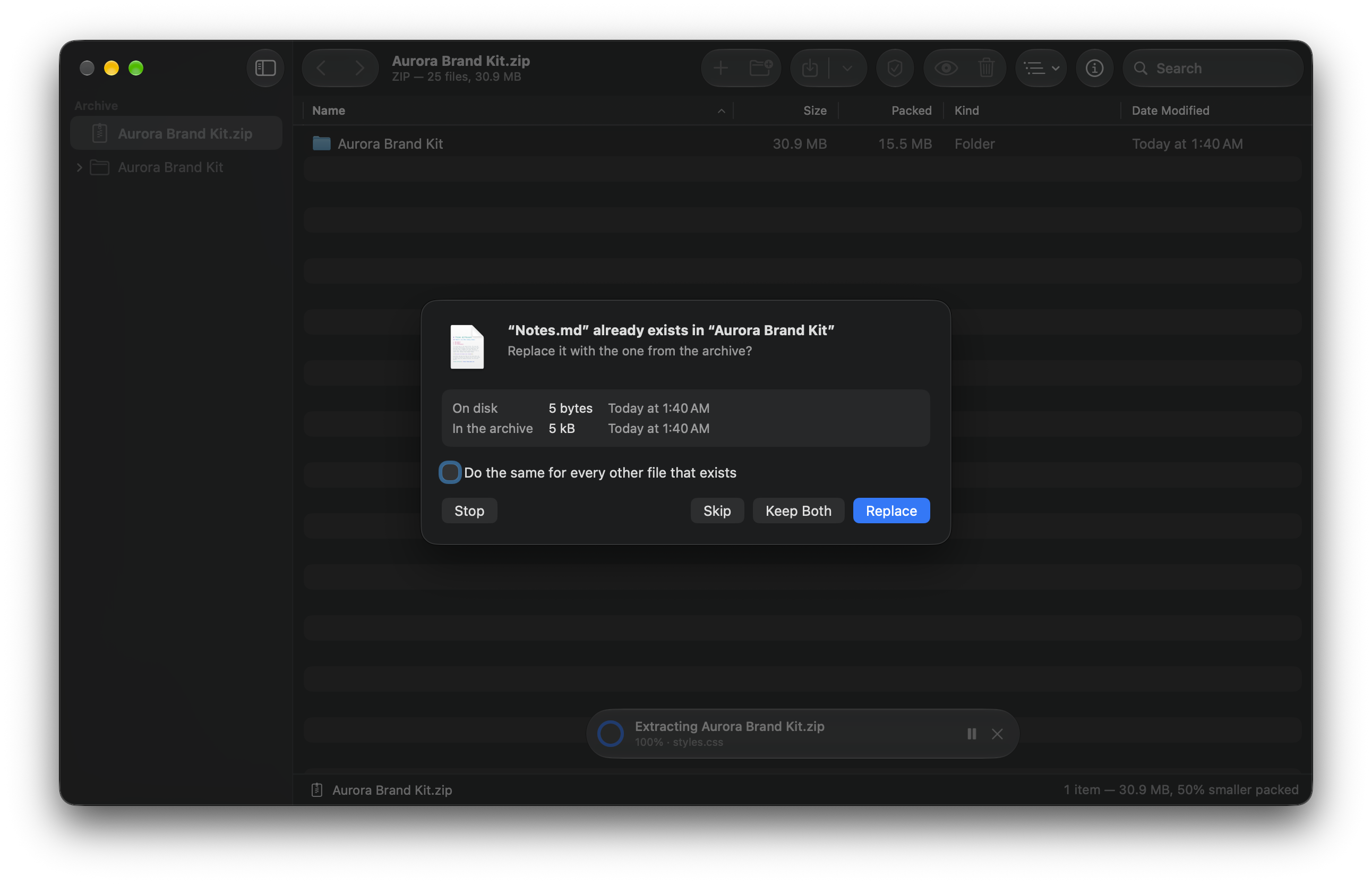
  • Asks before replacing, once or for every file, and shows both versions
  • Nothing half-done: files appear when the extraction is complete
  • Downloads stay downloads: Gatekeeper still checks what comes out
  • Resource forks and tags are folded back into their files
OpenZip asking what to do about a file that already exists, showing both versions

Know what you have.

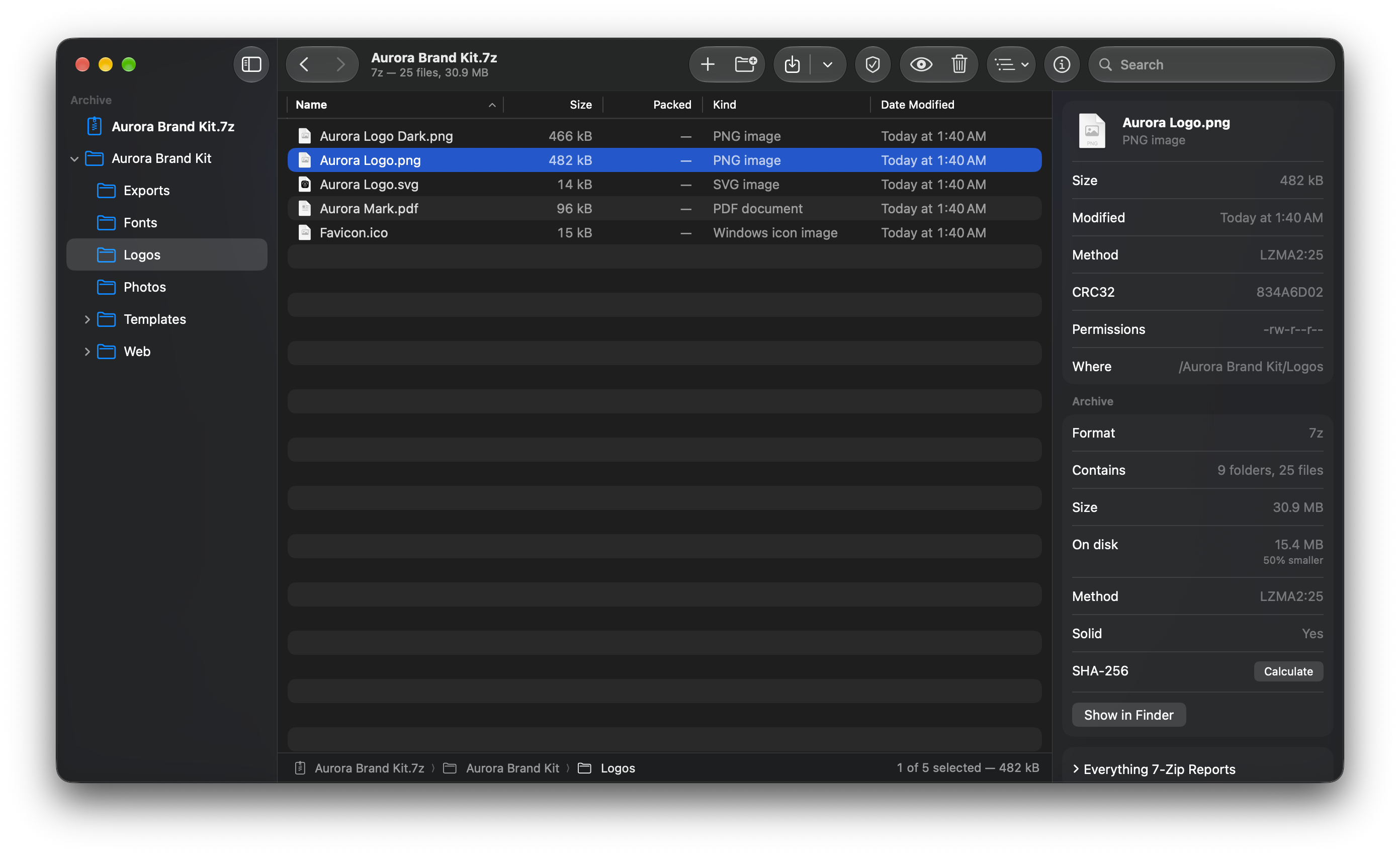
The Info panel tells you everything about a file before you extract it, and about the archive itself.

  • Sizes, ratio, CRC32, method and permissions per file
  • Test every file of an archive for damage
  • SHA-256 of the archive, to compare with its source
  • Comments, recovery records and locks for RAR
The Info panel beside the file list, with the details of the selected file and of the archive

If it is an archive, it opens.

More than fifty formats, with passwords, split volumes and hidden file names.

ZIP7zRARTARTAR.GZTAR.BZ2TAR.XZGZBZ2XZWIM ZIPXZstandardLZMAZCABARJLZHCPIOXARISOUDFDMGVHDVHDXVMDKVDIQCOW2APFSHFS+NTFSFAText4SquashFSPKGRPMDEBJARAPKIPAMSINSISCHM.001.part1.rar

also created and changed in place. RAR is written with RARLAB’s own RAR, which OpenZip sets up for you.

Careful with other people’s data.

An archive is somebody else’s files, often from the internet. OpenZip treats it that way.

The engine runs in a process of its ownA damaged or hostile archive can at worst crash the helper, never the app.
Nothing escapes the folder you chosePaths like ../../ and links that point outside stay inside the destination.
Passwords are never argumentsThey go to 7-Zip through a pipe, where other programs cannot see them.
7-Zip is built from its sourceDownloaded from its own repository, checked by SHA-256, compiled.
Signed twiceNotarized by Apple, and every update signed with the project’s own key.
No account, no analyticsThe only network request is the check for updates, and you can turn it off.

Free. Open source. Yours.

Download OpenZip Build it yourself

If it saves you a purchase, a star on GitHub helps other people find it.